Every session, one board
Claude Code in the terminal, VS Code and Claude Desktop, plus Codex CLI and the Codex app, on Windows and inside WSL. Status, model, context and running subagents at a glance, sorted by who needs you first.
 VBSS CCHUB
VBSS CCHUB is a local hub for Claude Code and Codex. Every session on one board, a docked widget that shows who needs you and how much of your plan is left, and an MCP server that lets any agent hand work to your workspaces.
Free · No account · Your sessions never leave your machine
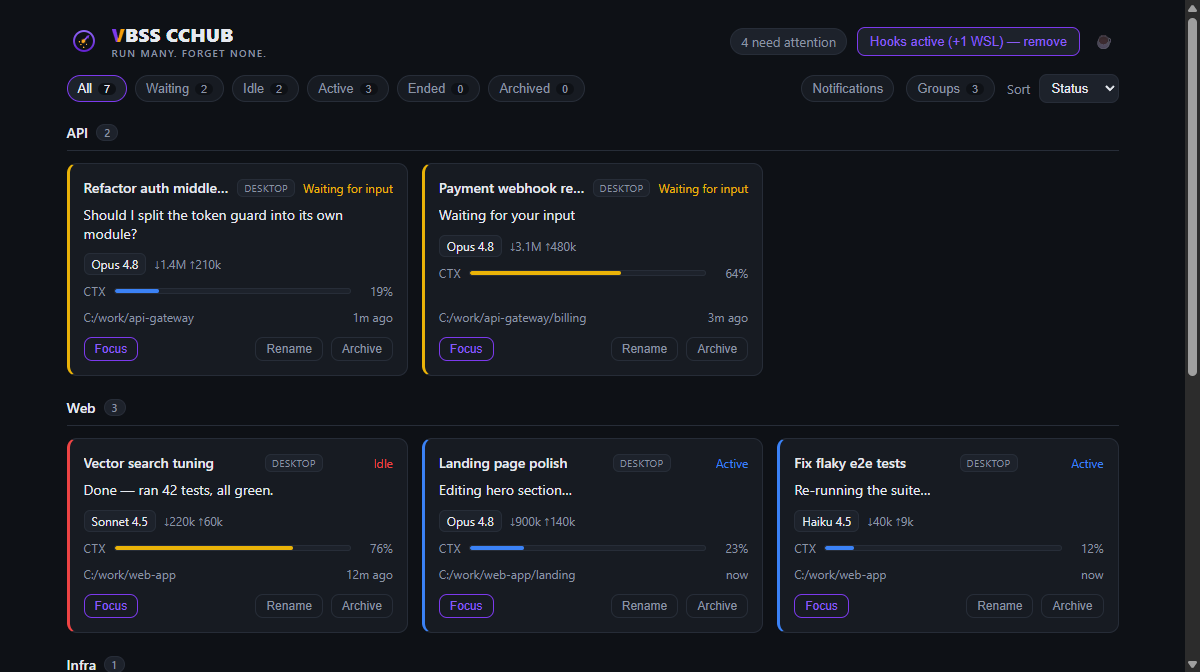
Five, ten, twenty sessions at once, across Claude and Codex. CCHUB keeps them all in view, so none sits idle waiting on you and none burns your plan unnoticed.
Claude Code in the terminal, VS Code and Claude Desktop, plus Codex CLI and the Codex app, on Windows and inside WSL. Status, model, context and running subagents at a glance, sorted by who needs you first.
A desktop notification and a sound the moment a session asks for a decision, stalls, or finishes. One click brings the exact window it runs in to the front.
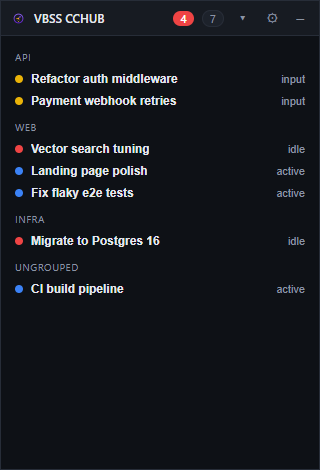
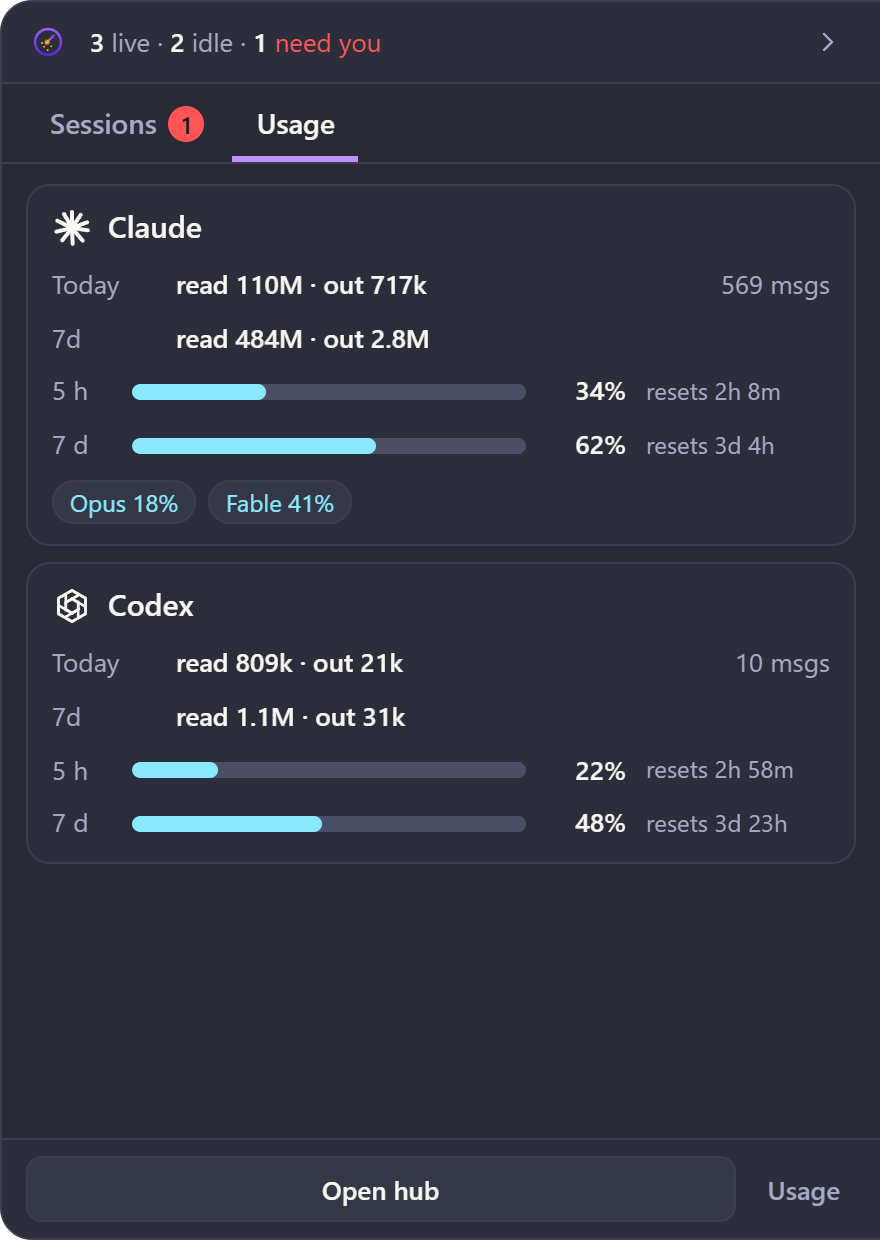
A small tab on the left, right or top edge of the screen with weekly-limit rings for Claude and Codex. Open it to see what needs you, what is running, and today's usage.
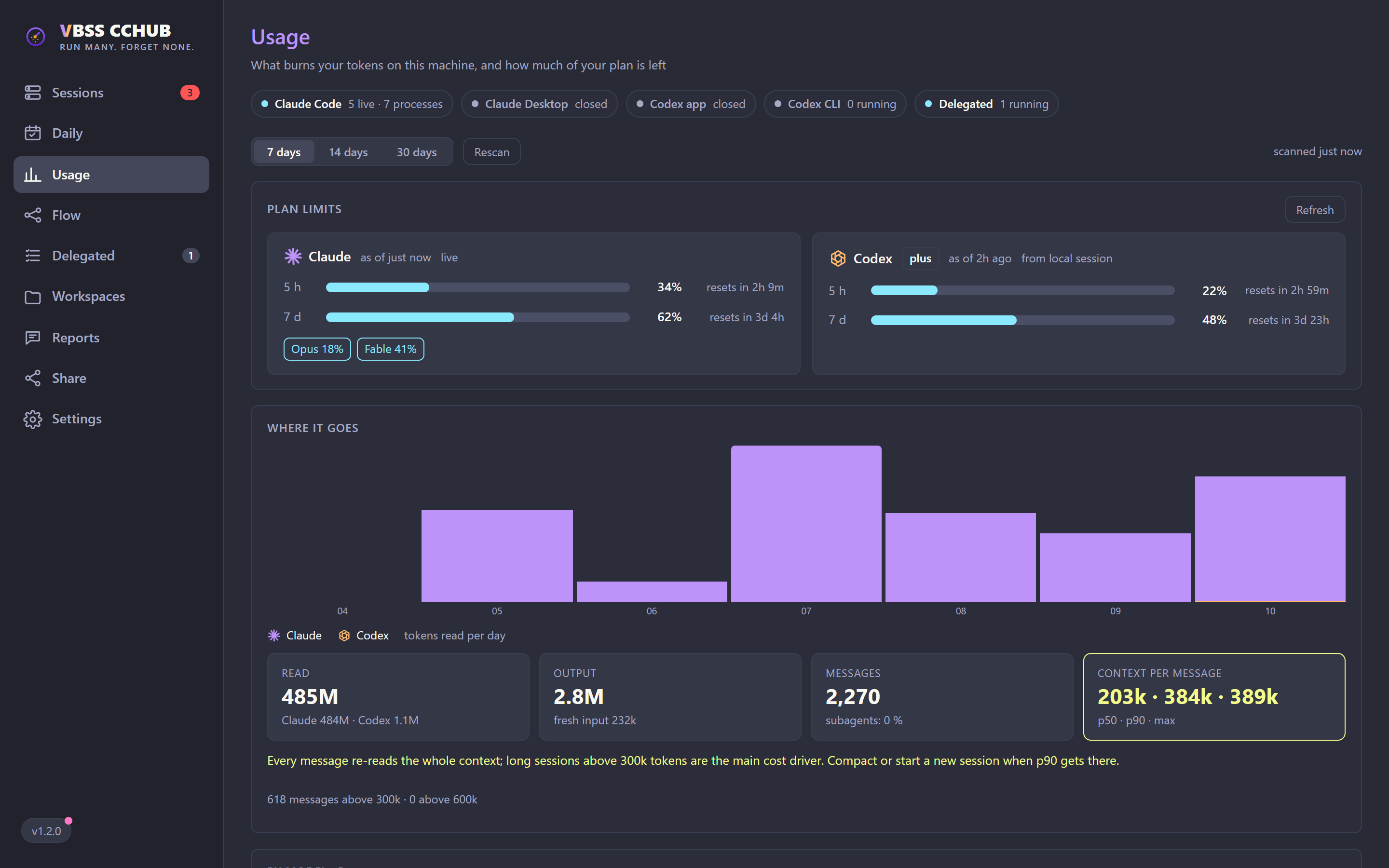
Tokens per day, project, session and model, split into cache reads, fresh input and output, plus context per message so you know when to compact. Read from the transcripts already on your disk.
Claude 5-hour, weekly and per-model limits (Fable, Opus) and Codex 5-hour and weekly windows. Account-wide, so usage from your other machines counts too. Read-only, polled at the interval you pick.
The cchub MCP server connects Claude Code, Claude Desktop and Codex. Any agent can hand a task to a workspace: the hub runs it, moves it to its own git worktree when the repo is busy, gives it its own port block, and reports back.
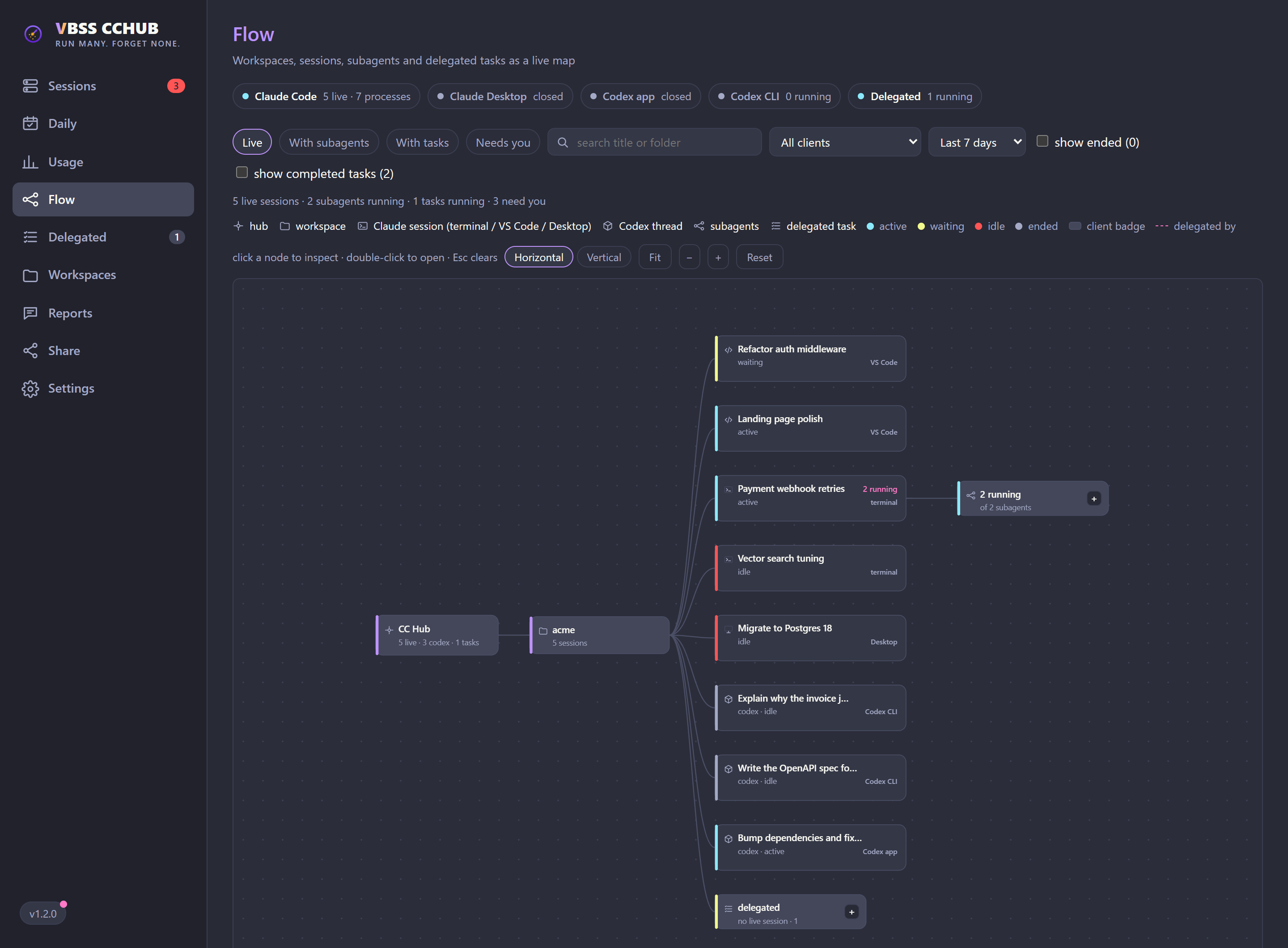
Workspaces, sessions, subagents and delegated tasks as one live map. See who spawned what, what is still running, and what is waiting on you.
A link, on the LAN or public through ngrok, that lets a teammate and their assistant ask your Claude about a workspace or delegate into it. Trust levels, a key per link, expiry, rate limits and a log of every answer.
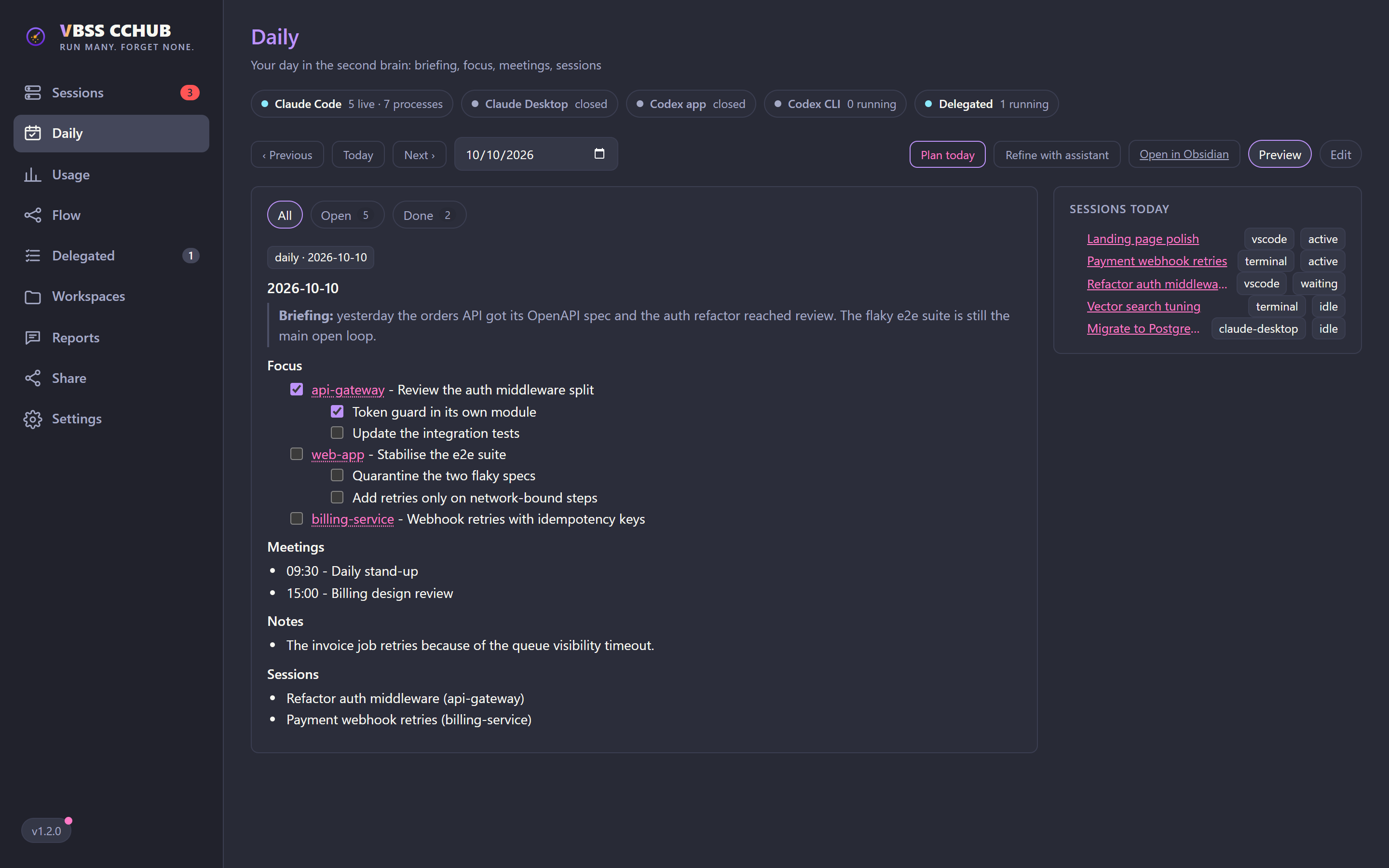
Point it at your Markdown or Obsidian vault for a guided daily note (close yesterday, plan today) that syncs both ways, and a trail that keeps the key points of every session, light, medium or high detail.
Real screens from v1.2, with demo data.
Long sessions re-read their whole context on every message. CCHUB shows where the tokens go and how much of your plan remains, side by side.
Agents delegate through the cchub MCP server. Every task, session and subagent lands on the same map, so nothing runs where you cannot see it.
Turn on Daily and the hub reads and writes the daily note in your vault. Edit it in the hub or in Obsidian and the other side follows.
The widget docks to the edge of the screen as a small tab. The rings show how much of the weekly limit each provider has used; a badge counts the sessions waiting on you.

No account, no config file to write. Optional features stay off until you turn them on in Settings › Features.
Download the installer and run it. The hub starts in the tray and can launch with Windows.
Settings › Hooks › Install hooks. Every Claude Code session on the machine shows up from then on. Codex sessions are picked up on their own.
Settings › Connections adds the cchub MCP server to Claude Code, Claude Desktop and Codex, so they can see each other and delegate.
With a handful of agents running at once, it is easy to leave one waiting on a yes/no for an hour, burn through the weekly limit without noticing, or lose track of work you handed off. That is wasted time and wasted tokens.
CCHUB is a small open-source tool built to keep an eye on all of it. It runs entirely on your machine: no account, no cloud, no telemetry. It only reaches the internet for features you switch on, like the read-only plan-limits check with your existing Claude login, or ngrok for a public share link.
Read the codeInstall it once. Let it watch. Get back to building.
Download for Windows☕ Like it? Buy me a coffee